


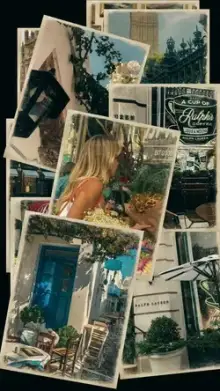
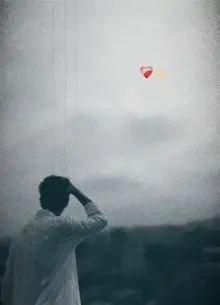






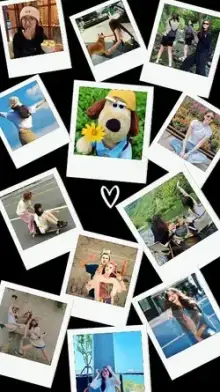
CapCut photo templates are edits designed for still images. Each photo you add gets motion, such as a slow zoom, a pan, a shake on the beat or a depth-style 3D effect, plus music and transitions. You select your photos in CapCut, the template animates them, and you export a short vertical video.
Types of Photo Templates
Single-Photo Edits
One picture carries the whole video, with layered effects like light leaks, glow, zoom and text. Great for a profile picture reveal or a portrait you are proud of.
Multi-Photo Beat Edits
Several photos change on the beat, each with its own movement. These suit outings with friends and small events. If you have dozens of pictures, a photo dump template handles large sets better.
Before-and-After Reveals
An older photo followed by a new one on the drop. People use them for haircuts, room makeovers and fitness progress, and the glow up templates are built around the same idea.
Depth and 3D-Style Edits
The subject seems to stand apart from the background while the camera appears to move. These need a clear person or object in front of a simple background.
People searching "capcut template photo trend" are usually after whichever photo effect is everywhere that week, such as a quick flash reveal, a depth zoom or a split-screen collage. New photo trends are added to this page as they appear, so the grid above changes often.
Which Photos Work Best in a CapCut Template Photo Edit?
- Upright photos Templates are 9:16, so portrait-orientation pictures fill the frame without heavy cropping.
- Faces in the middle The template crops the sides and sometimes zooms in, so a face near the edge can be cut off.
- Original files Photos straight from your camera keep their detail. Screenshots and pictures forwarded on chat apps are compressed and look soft once the template zooms in.
- Clear separation For depth effects, stand a step or two away from a plain wall rather than right against a busy one.
- Even light Daylight from a window beats a ceiling bulb, which throws shadows under the eyes.
Fixing Photo Problems Inside the Template
| Problem | What to try |
|---|---|
| Head or face cut off | Tap that slot and use the crop or adjust option to move the picture |
| Photo looks blurry | Replace it with the original camera file, not a screenshot |
| Photos in the wrong order | Tap the slot and choose replace to swap in the right picture |
| Template wants video but you only have photos | Many slots accept either; if not, choose a photo-only template |
Option names can differ by app version. For the full flow from opening the link to exporting, see how to use a CapCut template.
Brighten and straighten your photos in your phone's gallery editor before adding them. Small fixes there are faster than trying to work around a dark photo inside a template.
Looking for a softer look for your pictures? The aesthetic templates pair well with travel and outfit photos.
Frequently Asked Questions
Can I make a CapCut template video with only photos?
Yes. Photo templates are built for still images and add motion, transitions and music for you. Many other templates also accept photos in their slots. Check the template page to see whether the slots expect photos, videos or either before you begin.
How many photos can I add to a photo template?
You add exactly the number of photos the template asks for, no more and no fewer. Some photo templates need just one picture, while others need ten or more. The count is shown on the card and the template page, so you can gather the right number first.
Why does my photo look zoomed in or cropped?
The template fills a tall 9:16 frame, so wide or square photos get cropped at the sides, and many templates also zoom in for movement. Use upright photos with the subject near the center, or adjust the crop on that slot if your app version allows it.
What is a photo trend template?
A photo trend template is a photo-based edit that many people are using at the same time, usually because of its music or a distinctive effect such as a depth zoom or a quick flash reveal. The styles change often, so this category is updated as new ones appear.
Should I edit my photos before adding them?
Light edits help. Fix brightness, straighten the horizon and crop out clutter in your gallery app first. Avoid heavy filters, though, because most templates add their own color and effects on top, and stacking both can make skin and skies look unnatural.