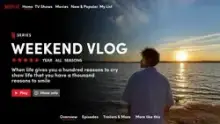






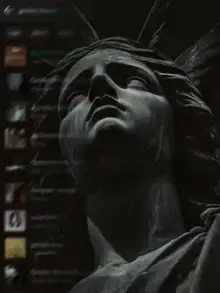




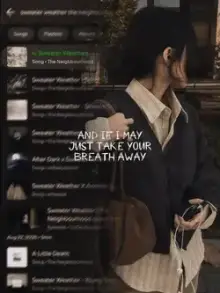


Aesthetic CapCut templates are calm, visually pleasing edits built around a consistent color mood, slow transitions and minimal text. Many use warm film tones or soft pastels, light grain and gentle, lo-fi style music. You add your clips or photos in CapCut and export a short, tidy video for Reels, Stories or Shorts.
Four Common Aesthetic Moods
| Mood | Colors | Subjects that fit |
|---|---|---|
| Warm film | Beige, brown, soft orange | Coffee, sunlight on a table, old streets, books |
| Soft pastel | Pink, lilac, baby blue | Flowers, evening skies, bedrooms, desserts |
| Dark and moody | Deep green, navy, black | Rain, candles, night windows, forests |
| Clean white | White, grey, light wood | Minimal desks, plants, cafes, skincare shelves |
Pick one mood per video. Mixing a warm cafe clip with a cold blue night shot breaks the calm feeling these templates depend on.
How to Film for an Aesthetic CapCut Template
- Slow everything down. Move the phone slowly, or not at all. Aesthetic edits feel restful because nothing jerks.
- Use natural light. Window light in the morning or late afternoon gives a soft glow that no filter copies well.
- Clear the frame. Remove cables, wrappers and clutter. Empty space is part of the look.
- Film details, not just scenes. Steam from a cup, a page turning, light on a curtain. Close shots feel more personal.
- Shoot in one session. Clips filmed at the same time of day match in color without extra work.
Music and Pace in Aesthetic Templates
Most aesthetic templates use quiet music, like soft piano, acoustic guitar or slow lo-fi beats. Slow music means fewer cuts and longer clips, often a few seconds each. Give every slot a clip where something small happens, such as steam rising or a curtain moving, so the long shot never feels frozen.
Text That Fits the Mood
Aesthetic text whispers. Short phrases, often lowercase, in a thin or handwritten font, placed slightly off-center. One short line per clip is plenty: a place name, a time, or a few words like "slow sunday".
If the template already has text, change it to something personal rather than leaving the sample words. It is the quickest way to make a shared template feel like yours.
Filming for a full aesthetic feed? Use the same template style for a few posts in a row. A consistent look across your profile is a big part of what people mean by aesthetic.
Aesthetic vs Cinematic: Which One Do You Want?
Aesthetic edits are calm and pretty, with soft color and quiet pacing. Cinematic templates are dramatic, with letterbox bars, bold grades and big moments. Both use slow motion, but the feeling is different.
For a casual mix of pictures in this style, try a photo dump template. For a soft day-in-my-life video, the mini vlog templates are a close match, and the filter templates focus purely on color. First time? Read our CapCut template guide.
Frequently Asked Questions
What does aesthetic mean in CapCut templates?
In CapCut templates, aesthetic means an edit that looks calm, tidy and visually pleasing, with one consistent color mood, slow movement and minimal text. It is less about action and more about atmosphere, such as soft light on a table or a quiet evening sky.
Can I make an aesthetic edit with photos?
Yes. Many aesthetic templates accept photos and add slow pans, zooms and grain so they feel alive. Choose photos with similar colors and lighting, and avoid busy backgrounds. A set of five or six calm pictures from one day often works better than a random mix.
Which filter makes clips look aesthetic?
There is no single filter. Most aesthetic templates already include their own color grade, so add your clips without heavy filters and let the template do the work. If you want more control over color, our Filter category collects templates built around specific color looks.
Why does my aesthetic edit look messy?
Usually because the clips do not match. Different lighting, clashing colors, shaky movement or cluttered backgrounds break the calm look. Film in one session, in natural light, with slow movement and a clean frame, and the template will look the way the preview does.