















Cinematic CapCut templates are edits that give phone footage a film look. They add widescreen black bars, color grading such as teal and orange or soft film tones, gentle slow motion, light grain and smooth transitions, all timed to music. You drop your clips into the template in CapCut and export a movie-style vertical video.
What Makes a Clip Look Cinematic?
Films look the way they do because of a handful of choices. A good template recreates most of them, and your filming handles the rest:
| Element | What it adds | How you help while filming |
|---|---|---|
| Letterbox bars | A wide, big-screen feel | Keep the subject in the middle band of the frame |
| Color grade | Mood, warm or cold | Film in one type of light; avoid mixing tube lights and sunlight |
| Slow motion | Drama and weight | Record at 60fps |
| Camera movement | Depth and story | Move slowly and steadily; walk forward with bent knees |
| Background blur | Focus on the subject | Leave distance between the person and the background, or use Portrait mode |
Shooting Clips for a Cinematic CapCut Template
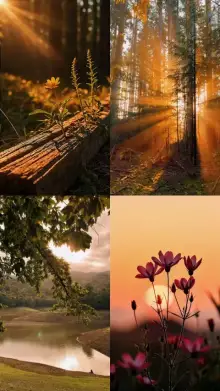
- Use golden hour The hour after sunrise and before sunset gives soft, warm light with long shadows. It does half the color grading for you.
- Lock exposure Press and hold on your subject until the lock appears, so the brightness does not pulse as you move.
- Do not zoom digitally Step closer instead, or switch to your phone's real telephoto lens if it has one.
- Add something in front Leaves, a railing or a door frame close to the lens make the shot feel layered.
- Collect three kinds of shot A wide view of the place, a medium shot of the person, and a close detail. Templates usually cycle through these.
Frame Rate: 24, 30 or 60?
Most films are shot at 24 frames per second, which gives that slightly soft, natural motion blur. Phones usually record at 30fps by default, which looks a little more like regular video. Sixty frames per second looks very smooth and gives the template room to slow clips down.
The simple rule: if the template preview uses slow motion, film at 60fps. If it plays everything at normal speed, 24 or 30fps is fine. When you are unsure, 60fps is the safer choice, because a template can slow a 60fps clip without it turning choppy.
Keep your clips a little underexposed rather than too bright. A cinematic grade can lift dark areas, but it cannot bring back a sky that has turned pure white.
Looks That Sit Close to Cinematic
If you like smooth, slowed shots, the slow motion templates are the next stop. Softer, calmer color lives in the aesthetic templates, and travel footage shines in the healing Thailand edits. Want an opening that looks like a streaming show? Try the Netflix-style templates. New to templates? Start with how to use a CapCut template.
Frequently Asked Questions
Why do cinematic templates add black bars?
The black bars, called letterboxing, copy the wide shape of movie screens, where the picture is much wider than it is tall. Placing those bars inside a vertical video makes the middle area feel like a film frame, so keep your subject in that central band when you shoot.
Do I need an expensive phone for a cinematic edit?
No. Light and steady movement matter far more than the phone. A mid-range phone filming at golden hour, held steady, with exposure locked will look more cinematic than a flagship phone filming under harsh midday sun. The template handles the grade and bars.
Can I use photos in a cinematic template?
Some cinematic templates accept photos and add slow pans or zooms to them, but most look their best with video clips, because real motion is a big part of the film feel. Check the template page to see what each slot accepts before you start.
What frame rate should I record at for cinematic templates?
Record at 60fps when the template uses slow motion, since it keeps slowed clips smooth. For templates at normal speed, 24fps gives a film-like motion and 30fps is fine too. If you cannot tell from the preview, 60fps is the safer pick.