




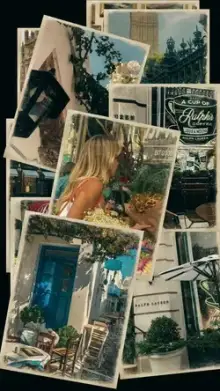







Photo dump CapCut templates are fast-paced edits that show many photos in a row, each on screen for a split second to about a second, timed to the beat of the music. They are made for recaps of a trip, a month, a wedding or a night out. You simply add your photos in CapCut and export.
A "photo dump" started as a casual post of many unedited pictures at once, with no single perfect shot. The template keeps that relaxed feeling but adds rhythm, so the pile of photos becomes a short video people actually watch.
How to Pick Photos for a Photo Dump CapCut Template
- Mix your distances Alternate wide scenes, people and small details like food, shoes, tickets or hands. The changes in size keep the eye busy.
- Drop the near-duplicates Two almost identical shots in a row look like a glitch when they flash by quickly.
- Save a strong photo for the first slot It is the hook. Keep another good one for the final slot, since it stays on screen as the video ends.
- Choose upright photos where you can The video is 9:16, so sideways photos lose their edges.
- Keep the colors related If half your photos are warm and half are cold blue, apply the same filter in your gallery first.
Three Ways to Order Your Photos
By Time
Start at the beginning of the trip or month and end at the last day. Easy to follow and great for travel.
By Color
Group greens, then blues, then warm tones. It looks planned and very smooth, even with random photos.
By Energy
Begin with calm scenery and build up to the loudest, most fun moments right where the music peaks. This order suits parties, weddings and festival nights.
Photo Dump, Photo Edit or Vlog?
| Style | Pace | Best for |
|---|---|---|
| Photo dump | Very fast, many photos | Trips, months, events |
| Photo templates | Slower, effects on each picture | A few favorite shots |
| Mini vlog templates | Short video clips in order | A day told as a story |
When a template flashes photos very fast, simple pictures with one clear subject work better than busy ones. Viewers get only a moment with each frame, so a single face, a plate of food or a skyline registers instantly, while a crowded group shot turns into a blur of color.
Fixing Common Photo Dump Problems
Photos look blurry: use the original files from your camera, not screenshots or images forwarded on chat apps, which are compressed.
Heads are cut off: most app versions let you tap a slot to replace or crop the photo, so you can move the face back into frame.
Not enough photos: the template needs its full count. Pick another template with fewer slots rather than filling gaps with blurry extras.
For the complete process from link to export, see our CapCut template how-to. If you plan to post on Instagram, the Reels templates page has upload tips too.
Frequently Asked Questions
How many photos does a photo dump template need?
Photo dump templates often need more pictures than other edits, sometimes a dozen or more, but the exact count differs for each one. It is listed on the template card and template page. Gather a few spare photos so weaker ones can be replaced later.
Can I mix videos into a photo dump template?
Usually yes. Most slots accept a photo or a video, and a video slot plays only a short part of your clip. One or two short clips among the photos can add life, but too many make it feel like a vlog instead of a dump.
What is a photo dump?
A photo dump is a casual collection of many photos shared at once, often from a trip, a weekend or a whole month. Instead of one perfect picture, it shows the mood of a period. A photo dump template turns that collection into a quick, beat-synced video.
Can I choose the music for a photo dump template?
The music is set by the template creator and is usually locked, because each photo change is timed to that song. Watch the preview to hear the track before you begin. If you want different music, choose another template whose audio fits your mood.