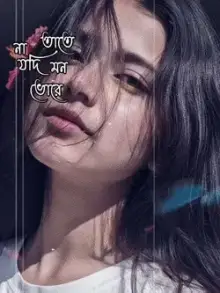



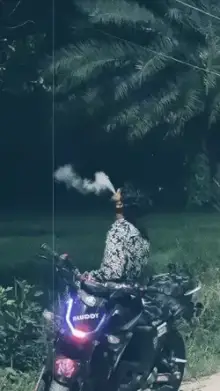
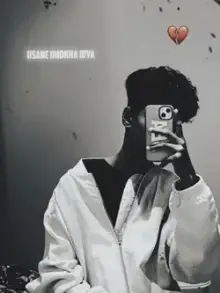
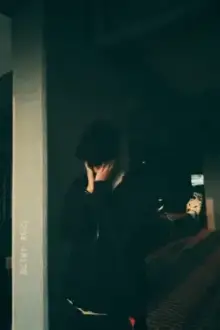
Sad CapCut templates are slow, emotional video edits set to sad songs, usually with grey or black-and-white tones, soft fades, slow motion and one brief caption. You add your own clips or photos in CapCut, and the template applies the pacing, color and music to create a mood video ready to post.
The Building Blocks of a Sad Edit
Sad edits work by taking things away. Fewer cuts, less color, less movement. Each template mixes some of these:
- Slow pace Clips stay on screen longer, often with a fade instead of a hard cut.
- Drained color Black and white, cold blue tones or faded film color.
- Gentle motion Slow push-ins toward a face or a window.
- One line of text Often lowercase, small and centered.
- The song A sad track, sometimes a slowed version with extra echo, or rain sounds under the music.
Picking a Sad Song Template That Fits Your Story
Match the template to the feeling, not just the song. A breakup edit needs slow, close shots and empty spaces. Missing a friend who moved away works better with old photos and travel clips. For a general low mood, night drives and rain carry the feeling without telling a story. People search "capcut template sad song" for all three, so let the preview's pace guide you.
What Is a Sad Boy Template?
"Sad boy" is a style of edit where a young man is shown alone and lost in thought: walking at night, sitting on a rooftop, staring out of a bus window, hood up in the rain. The mood is lonely rather than angry. Despite the name, anyone can use these templates; the shots are what make the style.
Clips That Suit a CapCut Template Sad Edit
You do not need to cry on camera. Sad edits rely on mood shots, and everyday scenes do the job:
- Raindrops sliding down a window, with the street blurred behind
- Streetlights or headlights at night
- You walking away from the camera on an empty road
- Hands holding a cup, a phone or an old photo
- A sunset or cloudy sky
- A side profile looking out of a window
Film at dusk or on cloudy days, when light is soft. Lower the exposure a touch so the scene stays moody instead of bright, and record at 60fps if the template uses slow motion. The slow motion templates show how much smoother 60fps clips look.
Pairing the Text With the Song
The text should say less than the song. A short line like "some people stay in your heart" lands better than a long paragraph that viewers cannot finish reading. If you love poetic lines, browse the shayari templates, which are built around shayari (short Urdu and Hindi poetry, usually two lines) shown on screen.
Many sad edits use Hindi tracks; the Hindi song templates include a full set of heartbreak edits. For help adding clips and exporting, follow how to use a CapCut template.
Frequently Asked Questions
Can I find out which sad song a template uses?
Usually, yes. Play the preview on our template page to hear it, then open the template in CapCut, where the audio name may be listed. We avoid naming songs ourselves unless we are certain, because many sad edits use remixed or slowed versions that are easy to mislabel.
Can I make a sad edit with photos instead of videos?
Yes. Many sad templates accept photos and add slow zooms and fades so they feel like video. Photos of rain, empty roads, old memories or a quiet sky work well. Watch the preview first, since a few depend on slow-motion clips and look flat with still images.
What does slowed mean in a sad song template?
Slowed means the song plays slower than the original, which drops the pitch and makes it sound heavier and more emotional. Slowed versions often come with extra echo, called reverb. Templates using them usually have long, gentle cuts instead of fast beat changes.
How do I add my own sad quote to the template?
In templates that allow it, tap the words in the edit screen and type your own line. Keep it short, around five to eight words, so it can be read before the clip changes. Some templates have fixed text in the design that cannot be changed.