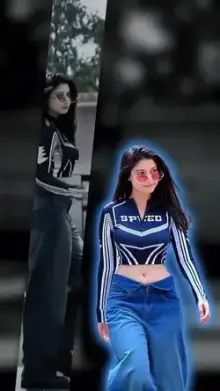












CapCut filter templates are ready-made edits that change the color and mood of your footage. Along with a color grade, they may add grain, light leaks, a frame or text. You add your clip, and the template applies the look automatically. They are a quick way to make plain phone footage feel styled or cinematic.
Filter Template vs Filter in the Editor
CapCut's regular editor has its own Filters menu, where you pick a filter and adjust its strength on your own project. A filter template goes further: the creator has stacked a filter with color adjustments, effects, transitions and often music into one finished design.
Use a filter template when you want a complete look in a minute. Use the editor's filters when you need full control over your own cuts, timing and color. Some people use both: a filter template for the main look, then the regular editor for small fixes on the exported video.
Common Looks in a CapCut Filter Template
| Look | What it does | Best footage |
|---|---|---|
| Vintage or retro | Faded colors, grain, warm tint | Street scenes, old-style outfits |
| Film | Soft contrast, gentle grain | Travel, portraits, daily life |
| Warm golden | Boosts orange and yellow tones | Sunsets, skin tones, food |
| Cool blue | Shifts colors toward blue | City nights, rain, the sea |
| Moody dark | Lowers brightness, deepens shadows | Night walks, serious or sad edits |
| Black and white | Removes color completely | Portraits with strong light and shadow |
Getting Clean Results From Any Filter
- Start with good exposure Filters change color, but they cannot rescue very dark or blown-out clips.
- Avoid mixed lighting A tube light and window light in one shot create a color clash that strong filters make worse.
- Check skin tones Heavy warm or cool grades can make faces look orange or gray, so watch the preview closely.
- Keep clips consistent If a template asks for several clips, use footage from the same place and time so the look stays even.
- Skip your camera's own filters Film in your phone's standard mode, not a beauty or built-in filter mode, so the template's grade is not stacked on another effect.
Photos Work Too
Most filter templates accept photos as well as videos. A photo becomes a short still shot with the color look applied, and some templates add a slow zoom so it feels like video. Sharp, well-lit photos work best, because grain effects add extra noise to anything already blurry. Vertical photos fill the frame best, while landscape ones get cropped at the sides.
For photo-first edits, our photo templates offer more layouts.
Looking for a Specific Creator's Filter?
Many people search for filters by creator name, such as the styles people look up under Vikas Editing. Our Vikas Editing page gathers templates credited to that name. For more mood-led looks, browse aesthetic templates, and see how to use a CapCut template if you are new to the editor.
Frequently Asked Questions
What is a filter template in CapCut?
A filter template is a pre-made CapCut edit that applies a color look, and sometimes grain, light effects or a frame, to your own clip. You choose your video or photo, and the template applies the style automatically, with no manual color editing needed.
Can I adjust the strength of a template's filter?
Usually not inside the template, because the look is part of the creator's design. If you want to fine-tune it, CapCut's regular editor lets you add a filter yourself, change its intensity, and adjust brightness, contrast and saturation.
Do filter templates work on photos?
Yes, most accept photos as well as videos. A photo becomes a short still shot with the look applied, and some templates add a gentle zoom. Use sharp, well-lit photos, since grain effects make soft images look noisier.
Why does the filter look different on my video than in the preview?
The preview uses the creator's sample footage, which may have different light and colors from yours. Filters react to the colors already in a clip, so indoor or night footage can turn out darker or more tinted. Try a brighter clip or a different look.