

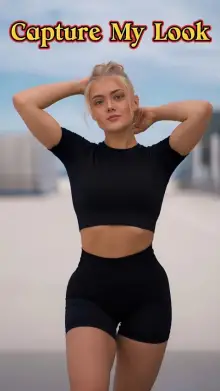


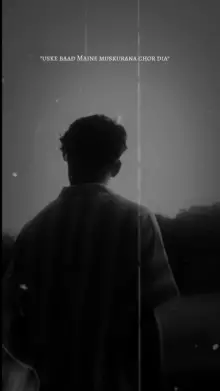
Rao Edits CapCut templates are ready-made video edits published under the Rao Edits creator name. Each one has fixed cuts, effects and music timing. You choose the photos or videos for each slot, adjust framing and text where the template allows it, and export a finished short video for Reels, Shorts or WhatsApp status.
Why Your Version Looks Different From the Preview
The preview was made with clips picked for that exact edit. When your result looks off, it's usually one of these:
| Problem | Likely cause | Quick fix |
|---|---|---|
| Face cut off | Subject near the edge of the frame | Crop or reposition the clip in its slot |
| Effect hits at the wrong moment | The action starts too late in your clip | Adjust the clip so the movement comes first |
| Blurry or grainy | Low light or a zoomed-in camera | Use a brighter clip shot on the main lens |
| Sides cut off | Horizontal clip in a vertical template | Use vertical 9:16 clips |
How Do I Use a Rao Edits CapCut Template?
Tap "Use Template in CapCut" on any card above. In CapCut, tap "Use template" and choose your media in the order you want it to appear. Then tap a clip on the edit screen to replace it or change which part of it is used and how it is framed. Options vary by template and app version, and some templates lock certain parts. Our guide to using CapCut templates walks through each screen.
Get More From Rao Edits
For new uploads, search "Rao Edits" in CapCut's Templates tab and follow the creator's profile from any of their templates. All templates here belong to their creator. We link to them on CapCut and are not connected to Rao Edits or CapCut.
Want something similar from other creators? Browse trending CapCut templates or the cinematic CapCut templates collection.
Frequently Asked Questions
Can I change the text in a Rao Edits template?
Often, yes. Many CapCut templates have editable text that you can tap and change on the edit screen. Some templates have no text or lock it in place, so check the preview and the edit screen to see what you can change.
Why does the effect hit at the wrong time in my edit?
The template's effects are timed to the music, not to your clip. If your movement starts late, the effect misses it. Adjust the clip so the key moment sits near the start of its slot, then preview again.
Why are the sides of my clip cut off?
Most templates are vertical 9:16, so a horizontal clip gets cropped to fit the phone screen. Shoot or choose vertical clips, keep the subject in the middle, and use the crop option on the edit screen to reposition the frame if needed.
Does this site make the Rao Edits templates?
No. The templates are made and owned by their creator on CapCut. We are an independent site that collects, credits and links to them, with no partnership with Rao Edits or with CapCut.