

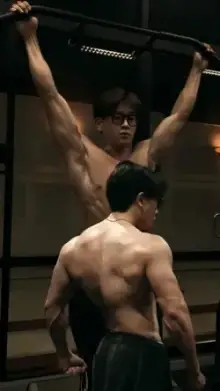




CapCut gym templates are ready-made workout edits with music, cuts and effects matched to training footage. They are short vertical videos, usually under 30 seconds. You open one in CapCut, add your lifting, cardio or progress clips, and export a gym edit that is ready for Reels, Shorts or WhatsApp Status.
Pick a Gym Edit Style
People search for these as "gym edit capcut template" or "capcut template gym trend", but nearly all of them fall into four styles. Knowing which one you want saves a lot of scrolling.
Rep-on-the-Beat Edits
Every rep or plate change lands on a drum hit. These need clean, steady footage of one or two exercises and look great with heavy compound lifts.
Transformation Reveals
An older photo, a pause, then the current you on the drop. They work best when both photos use the same pose, place and lighting. The glow up templates follow a similar reveal idea.
Motivation Edits
Dark grade, slow motion and a short line of text over the hardest part of your set. They suit late-night sessions and solo training. Keep the text to one line so it never covers the lift itself.
Training Day Montage
Many quick clips from warm-up to the last set. For sport drills and longer sessions, see the training templates.
Filming Tips for a CapCut Gym Template
- Prop the phone at hip height Lean it against a dumbbell rack or water bottle, angled slightly up. Floor-level shots distort your legs.
- Record at 60fps Lifts are often slowed down, and the extra frames keep the bar path smooth.
- Fight overhead shadows Gym lights sit right above you and darken your eyes. Train near a window or face the brightest light.
- Start recording early Hit record before you unrack and stop after you rack. The template only uses a few seconds, but it needs room to pick from.
- Wipe the lens Sweaty hands smudge the camera, which turns clips hazy. A quick wipe on your shirt fixes it.
Which Template Fits Your Footage?
| What you have | Look for |
|---|---|
| One long clip of a set | Templates that ask for 1 to 3 clips |
| Progress photos from different months | Before-and-after or transformation edits |
| Lots of short clips from one session | Montage or training day edits |
| A heavy single lift | Slow motion edits with a big beat drop |
For extra-smooth slowed lifts, the slow motion templates are another good match.
Gym Filming Etiquette
Many gyms have rules about filming, so check the notice board or ask the front desk. Keep other members out of the frame unless they agree, and never block a bench or rack while you set up a shot. A quick look at the background before you press record saves you from posting someone who did not want to be filmed.
Once your clips are ready, the CapCut template usage guide shows how to add them, preview and export.
Frequently Asked Questions
Can I use gym templates with photos instead of videos?
Yes, some gym templates, especially transformation and before-and-after edits, are built for photos. Rep-on-the-beat and slow motion edits need real video to look right. The template page shows whether slots expect photos or clips, so check it before you start.
Why do my lifting clips look choppy in slow motion?
They were most likely recorded at 30 frames per second, which does not have enough frames to slow down smoothly. Switch your camera to 60fps before filming. Good light also helps, because phones lower the frame rate or add blur when the room is dim.
How do I make a before and after gym video?
Choose a transformation template and add your oldest photo first, then the current one. For the best reveal, take both pictures in the same spot, with the same pose, distance and lighting. Small differences in angle make the change harder to see.
What is the best length for a gym edit on Reels?
Short gym edits of around 10 to 20 seconds tend to work well, because viewers can watch to the end and replay the best rep. Most gym templates already sit in this range. Longer training montages suit people who want to show a full session.