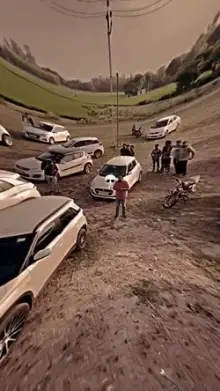
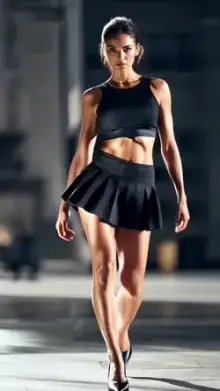
Gunda CapCut templates are pre-made attitude edits inspired by the tough-guy heroes of Indian action films. They mix slow-motion hero entries, heavy bass, film-style dialogue audio and bold text. You add your own clips and the template does the timing. The style is about screen presence and confidence, not real violence.
What Is a Gunda Edit?
Indian action films love a big hero entry: the lead appears in slow motion, the music drops, and the audience cheers. Gunda edits recreate that moment with your own clips. The vibe is dramatic, over the top and often a little tongue-in-cheek.
It sits between our badmashi templates, which are more playful and street-style, and our gangster templates, which borrow from dark crime movies.
Dialogue-Driven Edits
Many gunda templates use a short spoken line instead of, or on top of, a song. The cuts are timed to the words, so the edit lands on each punchy pause. Because the creator sets the audio, you usually cannot change the line, so listen to the preview before you choose.
Pick lines that are dramatic but harmless. A dialogue about confidence, loyalty or self-respect works well. One that threatens someone does not belong in your post.
You do not have to lip-sync the line, either. Letting the dialogue play over a slow walk or a still stare often looks just as strong, and it is much easier to get right.
Building the Hero Entry for a CapCut Template Gunda Video
- Go low Film from around knee height as you walk toward the camera. It makes the entry feel bigger.
- Add a reveal Turn around, lift your head slowly or put on sunglasses right as the beat drops.
- Use a backlight The sun or a streetlight behind you creates a dramatic outline. Keep a little light on your face so it does not vanish.
- Shoot at 60fps If your phone allows it, so the slow-motion part stays smooth.
- Dress bold but simple A kurta, a leather jacket or a plain dark shirt reads clearly on a small screen.
Step out of a car, walk through a doorway or come down a flight of stairs. Any natural entrance gives the template something to slow down and build around. Do a few practice runs before you record, so your walk feels calm and steady rather than rushed.
Where Gunda Edits Cross the Line
Keep the attitude on screen and out of real life. Skip weapons, including fake ones, avoid naming or tagging real people as rivals, and do not use captions that threaten anyone. Platforms remove content that promotes violence or harassment, and a strong edit does not need it.
Use a gunda template like any other: open it, add your clips, edit the text and export. Our CapCut template guide walks through each step, and the rangdari templates offer another desi attitude style built around a show of confidence.
Frequently Asked Questions
What does gunda mean in CapCut templates?
Gunda is a Hindi word that literally means thug or goon. In CapCut templates it describes a style rather than behavior: confident, dramatic edits modeled on the tough-guy heroes of Indian action films, with slow-motion entries, bass drops and dialogue audio.
How is a gunda template different from a badmashi template?
Gunda templates are usually more dramatic and film-inspired, with hero entries and spoken dialogue. Badmashi templates are lighter and more playful, focused on swagger, outfits and friend groups. Both use bold text and bass-heavy audio, so try each style with your clips.
Can I change the dialogue in a gunda template?
Usually not. The dialogue is part of the template's audio, and every cut is timed to it. If you want a different line, choose another template, or build your own edit in CapCut's regular editor with audio you have the right to use.
Will a gunda edit get my account in trouble?
Not if it stays about style. Problems come from content that shows weapons, threatens people or encourages violence, which platforms such as Instagram and YouTube can remove. A confident walk-in, a bold outfit and a dramatic dialogue are fine for most audiences.
What clips work best for a gunda edit?
Slow, deliberate movements filmed from a low angle work best: walking toward the camera, turning to face it, or stepping out of a car or off a bike. Leave some space above your head, since many templates zoom in when the beat drops.