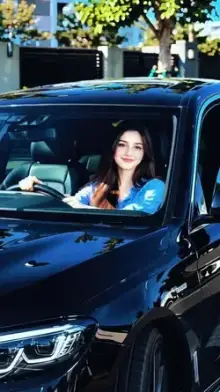



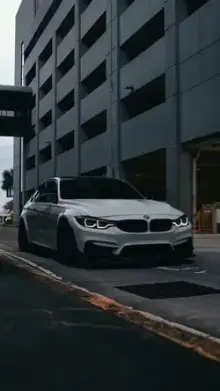



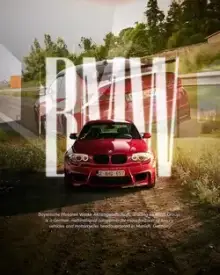


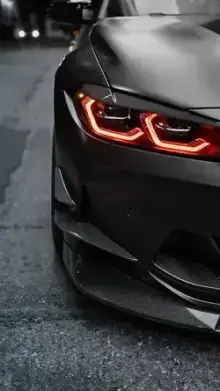

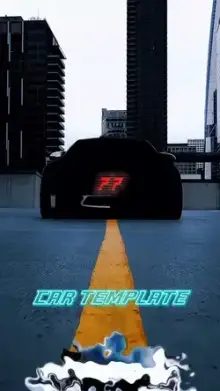
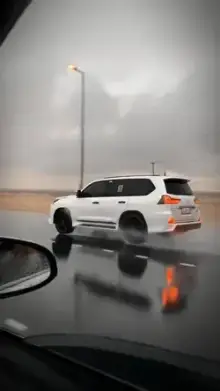



Car CapCut templates are ready-made edits that turn your car photos and videos into short, stylish clips. They usually feature slow pans, light flares, speed-ramp effects and a heavy bass drop on the big reveal. You add your clips in the order the template asks for, then export a vertical video for Reels or Shorts.
What a Car Edit Template Usually Includes
Most car templates follow a simple story: tease, reveal, details. The opening hides most of the car, the drop shows it in full, and the last seconds cycle through close-ups of the wheels, lights and interior.
Common effects include speed ramps, where footage speeds up and then slows down, along with light leaks, lens flares and a dark, high-contrast color grade that makes paint look glossy. Night templates often add a blue or orange tint to city lights.
The new trend car templates change often, because they follow whichever audio and transition style is popular at the moment. If you find one you like but have no footage yet, bookmark its page and come back after your shoot.
Film Car Clips Safely
Never film or touch your phone while you are driving. Have a passenger hold the camera, shoot while the car is parked, or fix the phone in a secure mount and start recording before you set off.
Moving shots look great, but they are not worth any risk. Many of the best car edits use only parked cars and a camera operator walking slowly around them.
Shot List for a CapCut Template New Trend Car Video
- A low, slow walk-around of the whole car.
- Headlights switching on, filmed close at dusk.
- A wheel close-up, with the camera gliding past.
- The badge or a body line catching the light.
- Interior details: steering wheel, dashboard lights, seats.
- A wide shot of the car in an empty parking area or quiet street.
Film each shot for five to ten seconds so you can trim to the best moment. Template slots are often only a second or two long, and longer source clips give you choice. Grab a couple of creative extras as well, such as the car reflected in a puddle or a shot through the windshield.
Day or Night: Which Template Fits?
Daylight templates suit clean, bright footage and show paint color accurately. Night templates rely on lights, reflections and dark tones. They hide small marks and dust, but phones record noisier video in low light, so a steady hand matters more.
Whatever the time, wash the car first and avoid shooting with the sun directly behind it, which turns the car into a dark shape. Early morning and evening light give the richest color.
More Styles to Try
For moody night drives, the cinematic templates and slow motion templates pair well with car footage. Want yourself in the frame too? Our attitude templates suit a walk-up to the car. If the template editor is new to you, read how to use a CapCut template.
Frequently Asked Questions
Can I use car templates for bike clips?
Yes. Most car templates work with motorbike clips too, since the shots follow the same idea: a slow reveal, close-up details and a wide shot. Choose templates with tighter framing, because a bike fills less of a vertical frame than a car does.
Do I need an expensive car for a car edit?
No. Good light, clean paint and steady camera work matter far more than the model. A washed everyday car filmed at sunset can look better than an expensive one filmed at noon in harsh light.
How do I get smooth moving shots without a gimbal?
Hold the phone with both hands close to your chest, bend your knees slightly and walk slowly, heel to toe. Turn on your phone's video stabilization if it has one, and film at 60fps when available so slow-motion sections stay smooth.
Why does my car look dull in the edit?
Dull results usually come from flat midday light or a dirty car. Wash the car, film in early morning or evening light, and keep the sun from shining straight into the lens. A template with a high-contrast grade will then make the paint look glossy.
How many clips does a car template need?
It varies by template. Short reveal edits may need just two or three clips, while fast montage styles can ask for ten or more. Each template page lists the clip count and duration, so film a few extra angles to give yourself options.