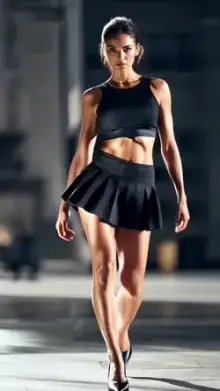


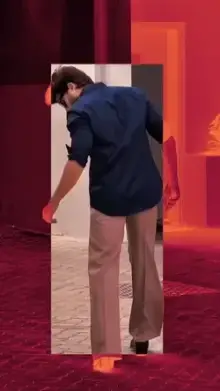
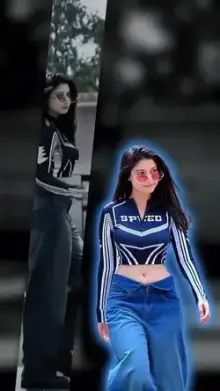






Slow motion CapCut templates are ready-made edits that slow your clips down at key moments, usually right on the beat of the song. Most also add speed ramps, blur or zoom effects automatically. You pick the clips the template asks for and CapCut handles the timing, so you get smooth slowmo without changing the speed by hand.
Why Slow Motion Templates Are So Popular
Slow motion makes ordinary moments look dramatic. A simple walk, a turn toward the camera or a hair flip suddenly feels like a scene from a film. That is why slow motion is one of the most searched CapCut template styles, and why so many new trend templates are built on it.
It is also forgiving. You don't need dance moves or perfect timing, because the template sets the pace for you.
Types of Slow Motion CapCut Templates
"Slow motion" covers several different looks. Pick the one that suits your clips:
| Style | What happens | Good for |
|---|---|---|
| Smooth slowmo | The clip eases into slow motion and back to normal speed | Walking, turning, hair flips |
| Blur slow motion | Motion blur or soft blur transitions between slow shots | Night clips, aesthetic edits, Reels |
| Zoom slow motion | A zoom or shake hits on the beat, then the shot slows down | Attitude edits, close-ups, gym clips |
| Speed ramp | Fast, then slow, then fast again in time with the music | Dance, sports and car clips |
| Song slowmo | Slow-motion clips cut to a Hindi, Punjabi or Bhojpuri track | Personal reels and couple edits |
Some variations are big enough to have their own pages, like the slow motion walk trend and neon slow motion edits with glowing effects.
Blur and Zoom Slow Motion Templates
Blur and zoom are the two effects people pair with slow motion most often, and they need slightly different clips.
A blur template smears the motion between shots or softens the frame as it slows down. It hides small flaws, so it is a good choice for night clips, city lights or footage that is not perfectly sharp. Clips with sideways movement, like a head turn or a passing car, show the blur best.
A zoom template punches in on the beat, sometimes with a shake, and then lets the shot drift in slow motion. Because the frame gets tighter, your subject has to be in the middle and well lit. Faces, outfits and gym poses work well here.
Shooting Tips for CapCut Template Slow Motion Edits
Slow motion shows every flaw in your footage, so the clips you feed a template matter more than the template itself.
- Record at 60fps or higher More frames per second gives CapCut real frames to stretch, so movement stays smooth instead of jumpy. Check your camera settings or try your phone's slo-mo mode.
- Use good light Daylight or a bright room keeps clips sharp. Low light adds grain, and slow motion makes it more obvious.
- Hold the phone steady Brace your arms or use a stand. The template adds its own movement, so camera shake only gets in the way.
- Keep the subject in the center Templates crop to 9:16 and many zoom in, so anything near the edges can get cut off.
- Film real motion Slow motion needs something to slow down: a walk, a turn, a spin, wind in your hair or a jump.
- Choose the right part of each clip After adding clips, tap one and use the crop or trim option to pick the second where the action happens.
Want something quick? A slow motion CapCut template of about 15 seconds usually needs only a few clips and suits Reels well. Check the duration on the template page before you start.
Slow Motion Templates With Hindi and Bhojpuri Songs
Many slow motion searches include a song, like "capcut template slow motion hindi song" or "capcut template bhojpuri slow motion". These edits pair slowmo clips with a romantic or emotional track, so the slow parts land on the most powerful line of the song.
For these, pick clips with feeling rather than action: a smile, a glance away, someone walking toward you. You will find more music-led edits on our Hindi song templates and Bhojpuri song templates pages.
How Do I Use a Slow Motion Template?
Tap Use Template on a template page, then tap Use template inside CapCut and select your clips in order. Watch the preview and swap any clip that looks awkward during the slow part. If one slow shot looks jumpy, replace it with a clip filmed at a higher frame rate. Full steps are in our guide on how to use a CapCut template.
When you export, choose 1080p if your phone offers it. Slow motion shows fine detail, and a low resolution makes it look soft.
Frequently Asked Questions
What is a slow motion CapCut template?
A slow motion CapCut template is a ready-made edit that slows your clips at set moments, usually on the beat. You add your own videos, and the template applies the speed changes, transitions and effects. Most are vertical and between 5 and 30 seconds long.
Why does my slow motion template look choppy?
Choppy slow motion usually means the clip was filmed at a low frame rate, such as 24 or 30fps, so there aren't enough frames to stretch. Re-record the key shots at 60fps or in your phone's slo-mo mode, and film in bright light so each frame stays sharp.
What is a smooth slow motion CapCut template?
It is a template that eases in and out of slow motion gradually instead of jumping between speeds. The result looks fluid and cinematic. It works best with steady clips of walking, turning or hair flips filmed at 60fps or higher.
Can I make a slow motion video in CapCut without a template?
Yes. In CapCut's regular editor, add your clip, tap it, open Speed and lower the speed or choose a curve preset for a speed ramp. Menu names can vary by version. Templates are faster because the timing, music and effects are already done for you.
Can I use photos in a slow motion template?
Most templates accept photos, but slow motion edits are designed for video. A photo has no movement to slow down, so it usually just zooms or pans. For real slow motion use video clips, or choose a photo template if you only have pictures.
How long are slow motion CapCut templates?
Most run between 5 and 30 seconds, and 15-second edits are very common for Reels. The exact duration is shown on each template page. Shorter templates need fewer clips, which makes it easier to fill every slot with a strong shot.