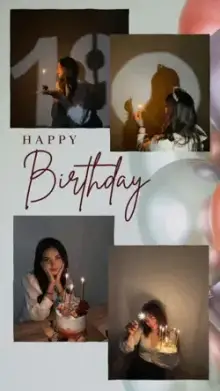











Love CapCut templates are pre-made romantic video edits that you fill with your own photos or clips. They usually include a love song, smooth transitions, heart or glow effects and space for a name or short message. Most are vertical, between 10 and 30 seconds long, and take only a few minutes to finish.
Who Is a Love Template For?
Most people make these for a partner, but love edits cover more ground than romance:
- A partner or spouse, for an anniversary or a "just because" post
- Parents, for Mother's Day, Father's Day or their wedding anniversary
- A best friend, brother, sister or cousin
- Yourself, as a self-love edit of your proudest moments
If the edit is only about the two of you, our couple templates are built around paired photos and split screens.
Choosing the Right CapCut Template Love Edit
Match the template to the mood of your photos. A quick, playful edit suits bright selfies and candid laughs, while a slow, dreamy one suits sunsets and close-ups. If your story is bittersweet, a sad template may fit better.
| Mood | Look for | Best photos |
|---|---|---|
| Sweet | Warm or pink tones, gentle zooms | Smiling selfies, holding hands |
| Dreamy | Slow motion, glow, soft blur | Sunsets, close-ups, travel shots |
| Playful | Quick cuts, stickers, pop-up text | Candid and funny moments |
| Heartfelt | Text-led edits with a song or poem | Old photos and milestones |
Photos or Short Videos?
Both work, and most love templates accept either. Photos are easy because you can choose the sharpest, happiest frame. Short videos feel more alive: a laugh, a spin, a hand reaching for another.
A good mix is mostly photos with one or two short videos in the slower parts of the template. Film those clips vertically, hold the phone steady, and record a few seconds longer than you need so you can pick the best moment when you trim.
Small Details That Make It Personal
- Tell it in order First meeting, first trip, today. A simple timeline is easy to follow, even in 15 seconds.
- Change the sample text Swap generic lines for an inside joke, a nickname or a date only the two of you know.
- Mix old and new photos The jump from an early picture to a recent one is often the most touching part.
- Use sharp photos Templates zoom in, and blurry pictures look worse when they are enlarged.
- Add poetry For a softer touch, try a shayari template with a romantic couplet on screen.
Before You Post
Play the export once from start to finish. Check that names are spelled correctly, no face is cut off by a zoom, and the text is readable. If the person is private, send the video directly instead of posting it publicly.
Need help with the editing screen? Our guide to using CapCut templates explains how to swap clips, trim them and change text.
Frequently Asked Questions
Can I add my partner's name to a love template?
Yes, as long as the template includes editable text. Tap the text option in the CapCut template editor and type the name, a date or a short message. Some templates build the words into the design, so check the preview to see whether text changes are possible.
What photos work best in a love CapCut template?
Clear, well-lit photos where faces are easy to see work best. Vertical photos fill the 9:16 frame without heavy cropping. If you use landscape photos, keep faces near the middle, because the template will trim the sides to fit.
Are love templates only for couples?
No. Many love templates work for parents, siblings, close friends or even pets. Look for designs with neutral wording, or change the text to suit who the edit is for. Keep the ones with romantic poses and lines for partners.
Can I make a love edit without showing faces?
Yes. Plenty of people prefer privacy and use hand-holding shots, silhouettes, matching shoes, gifts or places you visited together. These clips suit slow, dreamy templates and keep both of your faces offline.
How long does it take to make a love edit?
Usually five minutes or less once your photos are chosen. Open the template, select your photos in order, preview the result, adjust any text and export. Picking the photos often takes longer than the editing itself.