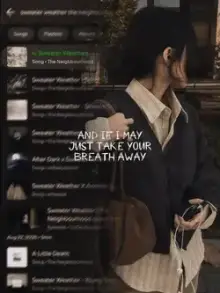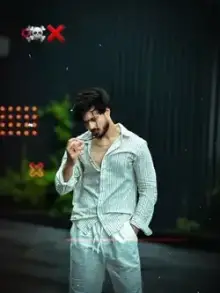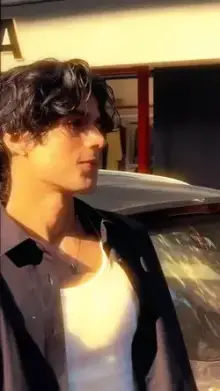

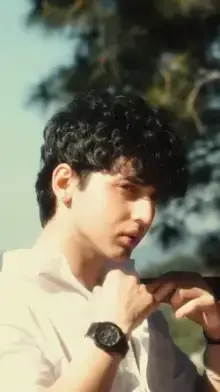


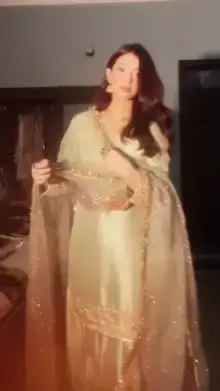


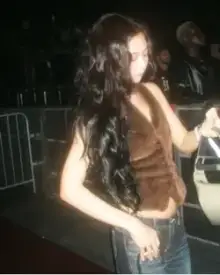
A glow effect CapCut template is a ready-made edit that adds light-based effects to your clips. Common looks include a neon outline traced around the person, a soft dreamy bloom over bright areas, and flashes or light leaks timed to the music. You add your clips, and the template applies the glow.
Three Kinds of Glow You Will See
| Glow type | What you see | Clips that suit it |
|---|---|---|
| Outline glow | A bright line traced around the person, often in neon colors | One person, full body or waist up, plain background |
| Soft bloom | Highlights spread into a gentle haze | Backlit portraits, sunsets, fairy lights |
| Flashes and light leaks | Bursts of light or colored streaks on the beat | Dance, gym or night clips with movement |
Some templates combine all three, starting soft and ending with a strong outline on the drop.
How Does the Outline Glow Find Your Body?
Outline glow templates typically use CapCut's automatic cutout, which separates a person from the background. The cleaner that separation, the cleaner the glowing line.
You can help it by:
- Standing against a plain wall or open sky
- Wearing clothes that contrast with the background
- Keeping your whole outline inside the frame, with no cut-off hands or feet
- Avoiding crowds, since other people can pick up the glow too
Some phones need a few seconds to process cutout effects. If the preview stays black or frozen, our black screen fix guide lists what to try.
Getting the Most From a Glow Effect CapCut Template
- Darker scenes glow brighter Light effects stand out most in evening or indoor clips.
- But keep the subject lit A dark background is good; a dark face is not. Put a lamp or a window in front of you.
- Move on the beat Glows and flashes often land on beats, so a step, turn or pose at those moments makes them look planned.
- Film at 60fps Effects on fast motion look smoother with more frames.
- Skip extra filters Stacking a filter on top can wash out the glow colors. If you want a color look instead, browse our filter CapCut templates.
Best Moments for a Glow Edit
Glow effects suit clips where you want one person to own the frame. Good fits include a dance move in your room with the main light off and a lamp on your face, a gym set in a dim corner, a festival or wedding night with fairy lights behind you, and a slow turn toward the camera at dusk.
They suit busy daytime street clips less, because the effect has nothing dark to shine against and too many shapes to trace.
Picking a Glow Color
When you are choosing between versions with different glow colors, match the color to your scene. Cool blue and purple glows suit night clips and dark clothes. Warm gold and pink glows suit skin tones and sunset light. White glows go with almost anything but can look harsh on bright backgrounds.
When in doubt, pick the color that contrasts most with your background. That contrast is what makes an outline easy to see on a small screen.
Glow Effect, Neon and Glow Up: What Is the Difference?
These names overlap, so here is a quick way to tell them apart. Glow effect templates are about light on any clip. Neon slow motion templates pair a neon look with slowed-down video. Glow up templates are before-and-after stories, which may or may not use a glow at the reveal.
Using the Template
Open your version with the "Use Template in CapCut" button, tap "Use template", select your clips and give the effects a moment to load. Preview the full video before exporting, since a glow can look different on each clip. Our step-by-step template guide covers swapping clips, editing text and export settings.
Frequently Asked Questions
What is a glow effect CapCut template?
It is a ready-made CapCut edit that adds light effects to your clips, such as glowing outlines around a person, soft bloom on bright areas, or flashes timed to the beat. You add your footage and the template applies the glow and music automatically.
Why is the glow outline messy on my video?
A messy outline usually means the cutout effect could not separate you from the background. Stand against a plain wall or sky, wear colors that contrast with it, keep your whole body in frame and avoid other people behind you. Then add the clip to the template again.
Do glow effects work on photos?
Many do. Outline and bloom effects can work on a still photo, though the result is less lively than with video. If you use photos, choose ones with a clear subject, a plain background and good light, so the glow has clean edges to follow.
Why does my glow template show a black screen?
Effect-heavy templates can take longer to load, especially on older phones. Wait a few seconds, check your internet connection, update CapCut and restart the app. If the preview still stays black, free up some storage space and open the template link again.
Is glow effect the same as glow up?
No. A glow effect template adds light, like outlines or bloom, to any clips. A glow up template tells a before-and-after story of a change in your look or life. Some glow up edits use a glow at the reveal, but they are separate trends.