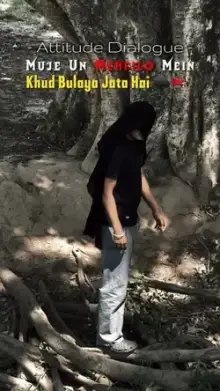









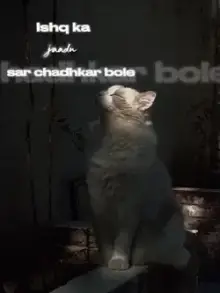



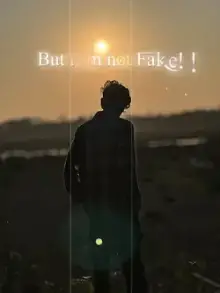

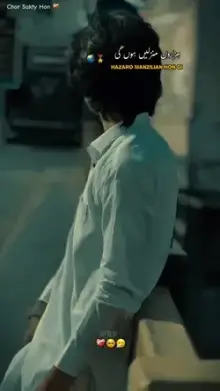
Shayari CapCut templates are ready-made edits that display shayari, meaning Urdu or Hindi poetic couplets, as animated text over your photos or clips. They use soft music or, in some cases, a voice reading the lines, along with slow transitions and calm visuals. Most are vertical and 10 to 30 seconds long.
What Is Shayari, and Why Does It Suit Short Videos?
Shayari is poetry from the Urdu and Hindi tradition. It is often shared as a sher: two lines that together make one complete thought. Because a single sher is so short, it fits neatly into a Reel, a Short or a Status.
Themes range from love and heartbreak to friendship, faith, patience and motivation. The words carry the feeling, so the video around them only needs to set the mood.
Choosing Words for Your CapCut Template Shayari
If the template lets you edit text, you can add your own couplet. Short lines work best. Aim for roughly six to ten words per line so viewers can read each one before it disappears. Two short lines usually beat four long ones, so if your favorite verse is longer, put the strongest couplet on screen and let the caption carry the rest.
Writing your own shayari? Read it aloud first. If it sounds natural when spoken, it will feel natural on screen. If you share a famous poet's lines, credit the poet in your caption.
Hindi, Urdu or Roman Script?
| Script | Who reads it easily | Things to check |
|---|---|---|
| Devanagari (Hindi) | Hindi readers, mainly in India | Some template fonts cannot display it |
| Urdu script | Urdu readers, mainly in Pakistan | Right-to-left text may not display well in every font |
| Roman script | Almost everyone, including non-native readers | Keep your spelling consistent |
Roman script, which is Hindi or Urdu typed in English letters, works with any font, so it is the safest choice when a template's font is unknown.
Pacing: Give Viewers Time to Read
As a rough guide, people need two to three seconds to read a short line on a phone. Templates that flash text faster than that can look stylish but lose the meaning. Pick templates where each line stays on screen long enough, and watch your export once with the sound off to test it. If a template feels too fast for your lines, cut a word or two instead of shrinking the text.
Calm footage helps too: rain on a window, a sunset, an empty road, a cup of chai or a close-up of hands. Avoid busy clips with lots of movement, which pull the eye away from the words.
Darker, softer clips make white text easier to read. If your clip is bright, choose a template that places the text on a shaded band or box.
Related Collections
For slow, emotional looks, see our sad templates and love templates, or try Hindi song lyrics templates if you prefer song lines to poetry. Our CapCut template guide shows how to edit text and swap clips.
Frequently Asked Questions
What does shayari mean?
Shayari means poetry in Urdu and Hindi, especially short, emotional verses. A typical shayari for a video is one couplet: two lines that express a complete feeling about love, loss, friendship or life. Shayari templates show these lines as animated text over calm visuals.
Can I write my own shayari in a CapCut template?
Yes, if the template has editable text. Tap the text option in the CapCut template editor, replace the sample lines and preview the result. Keep each line short so it fits the screen and stays readable at the template's pace.
Why does my Urdu or Hindi text show as boxes?
The template's font probably does not include Urdu or Devanagari letters. Try typing the same lines in Roman script, which works with any font. Some templates are designed with script-friendly fonts, so check the preview text before you choose one.
Do shayari templates need many clips?
Usually not. Shayari templates often need only a few clips, because the words are the focus and long, calm shots give viewers time to read. The exact clip count and duration are shown on each template page.
Should I credit the poet when I use their shayari?
Yes, if the lines are not your own. Add the poet's name in the caption or as small text at the end of the video. It is respectful, helps viewers find more of their work, and stops people assuming you wrote it.