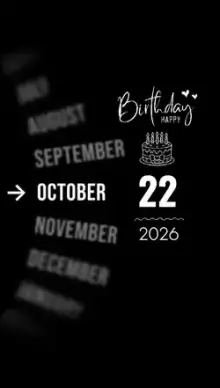



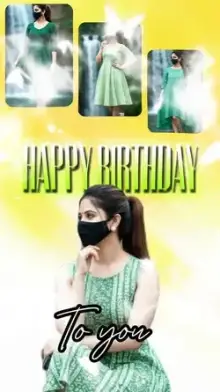








Birthday CapCut templates are ready-to-fill birthday videos with music, wish text and transitions already timed to the beat. Open one in CapCut, choose Use template, fill the slots with your own photos or clips, change the name where the text is editable, and export a birthday video that is ready to share within minutes.
Who Are You Making It For?
The right template depends on the person. A fast, funny edit that works for a best friend can feel wrong for a grandparent. Use this as a quick guide:
| Making it for | Style that usually works | What to collect |
|---|---|---|
| Best friend | Quick cuts, playful text, upbeat music | Funny candid clips, trip photos, one inside joke |
| Partner | Slow zooms, soft song, warm color | Couple photos, a short clip of the two of you |
| Mom, dad or grandparents | Gentle pace, then-and-now photos | Old family prints, recent photos together |
| Kids | Bright colors, bouncy beat | Cake moments, playtime clips, a smiling close-up |
For partner wishes, the couple templates and love templates also make sweet birthday surprises.
Birthday Template CapCut Checklist Before You Start
- Count your media Every template has a set number of slots to fill. Gather them in one album first so picking is quick.
- Check the text Some templates let you change the name and wish line; in others the wording is baked into the graphics and cannot be touched. The preview usually makes it obvious which type you are looking at.
- Keep faces centered The video is tall and narrow, so wide group photos get cropped at the sides.
- Start early If you want to post at midnight, finish the edit in the evening, not at 11:58.
New to templates? Our full walk-through for using a CapCut template covers the whole process.
Editor Tips for a Better Happy Birthday Video
Scanning old prints: lay the photo flat near a window, turn off the flash and shoot straight down. Flash causes a white glare that ruins old pictures. Crop away the table edges before adding it.
Open strong: put your best, clearest photo in the first slot. The first second decides whether people keep watching.
Keep the wish short: text boxes have limited room. "Happy Birthday Riya" fits; a full paragraph gets cut off or shrinks too small to read.
Protect the quality when sending: WhatsApp compresses videos. Use the HD option if you see it, or send the file as a document so it arrives sharp.
Collecting clips from friends? Ask each person for a 3-second vertical video saying the wish. Short, upright clips drop straight into most template slots.
Ideas Beyond the Usual Wish
- Then and now Alternate a childhood photo with a recent one in each pair of slots.
- Year in review One photo from each month since the last birthday.
- Friends' messages Stitch together those 3-second wish clips from different people.
- Countdown Post a short edit a day or two before the birthday to build excitement.
Only have pictures and no videos? Browse the photo templates, which are built to animate still images.
Frequently Asked Questions
Are these birthday CapCut templates free to use?
Yes. Most birthday templates cost nothing to use. Now and then one contains a premium effect or font tied to CapCut Pro, the paid plan, and CapCut flags this at the export step. If that happens, pick a similar template that uses free tools only.
How many photos do I need for a happy birthday template?
It depends on the template. Some birthday edits take just one or two photos, while recap-style ones want ten or more. You will find the exact figure on the card and on the template page, so look there before you start collecting pictures.
Can I put the birthday person's name in the video?
Usually, yes. Many birthday templates have an editable text layer where you can type a name and short wish. In some templates the text is part of a fixed graphic and cannot be changed, so watch the preview and check the edit options in CapCut before choosing.
Can I make a birthday video from a computer?
Yes. Every template page has a QR code button; point your phone at the code that appears and the template loads on your phone, ready to edit in CapCut. Some templates can also be edited on capcut.com from a desktop browser, though the options there may not match the app exactly.
Can I change the song in a birthday template?
In most templates the song is fixed by the creator, since every cut is matched to that one track. If you want a different birthday song, choose another template whose preview already uses music you like, or build the edit yourself in CapCut's regular editor.