



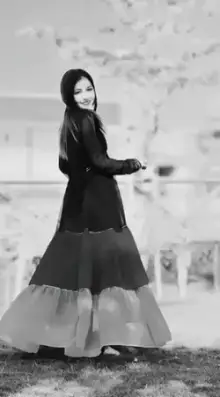
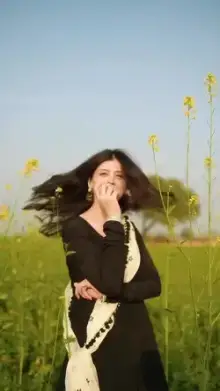



Gujarati CapCut templates are short video edits set to Gujarati songs, from garba and dandiya beats to folk, wedding and modern Gujarati tracks. You open a template in CapCut, swap in your own photos or clips, edit any text the template allows, and export a vertical video ready for Reels, Shorts or WhatsApp Status.
When People Use Gujarati Song Templates
- Navratri nights Clips of garba (the circle dance) and dandiya (the dance with a pair of sticks), with fast spins and bright outfits.
- Weddings Pithi (the turmeric ceremony), mehndi, the baraat and family dances, cut to celebration songs.
- Uttarayan Rooftop kite flying in January, with friends, music and a sky full of kites.
- Everyday edits Romantic, attitude and village-life clips paired with Gujarati tracks.
People search "gujarati capcut template" for all of these, but the right pick depends on pace. Garba edits cut fast on every clap, wedding edits move slowly through emotional moments, and Uttarayan edits sit in between, mixing wide sky shots with close-ups of laughing friends.
For Diwali greetings with a festive look, also browse the Diwali and festival templates.
Getting Garba and Dance Clips Right
Garba venues are dark, crowded and full of colored lights, which is hard for any phone camera. A few habits make a big difference:
- Film near the lights. Stand where the stage or string lights fall on the dancers. Faces in the dark corners turn grainy.
- Switch to 60fps. A chaniya choli (the traditional flared skirt and blouse) spinning in slow motion is the shot most Navratri templates are built around, and it needs extra frames.
- Hold still and let people move. Brace your elbows against your body. A steady frame makes the dancing look faster and cleaner.
- Record 8 to 10 seconds per moment. The template trims your clip, so give it enough to choose a good part.
Typing Gujarati Text in a CapCut Template Gujarati Edit
Many people want to add a wish or a name in Gujarati script. Whether that works depends on the font the creator chose. If the font does not include Gujarati letters, the letters may appear as hollow squares or fall back to a plain system font.
Try one short word before writing the full wish, and look closely at the result. If the letters break, you have three options: write in Roman Gujarati (Gujarati words in English letters), keep the text in English, or open the project in CapCut's full editor where you can pick another font.
Navratri falls in September or October, so templates for garba nights get busy around then. Gather your clips early and you will not be rushing on the last night.
More Regional Song Collections
If your family mixes languages, the Hindi song templates and Punjabi song templates follow the same idea with different music. Never used a template before? Our beginner's guide to CapCut templates explains each tap.
Frequently Asked Questions
Are there garba templates for Navratri?
Yes. Garba and dandiya edits are one of the most popular types in this category, especially around Navratri in September or October. Look for templates whose preview shows spinning dancers and fast beat cuts, then add your own clips from the garba night.
Can I write Gujarati wishes in the template text?
Often yes, but it depends on the font in the template. If the font has no Gujarati letters, the text may show as boxes. Test a short word in the preview first. If it fails, type the wish in Roman Gujarati or English instead.
Will a Gujarati template work for WhatsApp Status?
Yes. The templates export as short vertical videos, which is the shape Status uses. Save the video to your phone after exporting, then add it to Status. If a template is longer than WhatsApp allows, the app will ask you to trim it.
Can I change the Gujarati song in a template?
In most templates the song cannot be swapped, because every cut and effect is timed to that track. If you want a specific Gujarati song, browse for a template that already features it in the preview, or create your own edit from scratch in the CapCut editor.