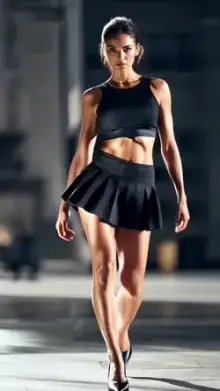
A camera lenta CapCut template is a ready-made slow-motion edit. The name is the Spanish and Portuguese way of saying "slow motion." Most versions mix slowed-down sections with quick speed-ups, smooth zooms and soft blur, all timed to music, so a normal clip looks cinematic without any manual editing.
Why Is It Called "Camera Lenta"?
The name comes straight from language. Spanish speakers say cámara lenta and Portuguese speakers say câmera lenta, and both mean slow motion. Many people type it without accents, which is how "camera lenta" became a common search.
So a camera lenta template is not a separate effect. It's the same slow-motion style you'll find on our slow motion templates page, searched under another name. Templates work the same in every language, so you can use any version whatever language your app is set to.
What You Get in a Camera Lenta CapCut Template
- Speed ramps The clip slows down, then snaps back to normal speed on a beat.
- Smooth zoom A slow push-in that draws the eye to the subject.
- Motion blur Soft streaks during the fast parts, so the change doesn't feel jumpy.
- Color grade Often warm or cinematic, depending on the creator.
- Music Set by the creator, so each version has its own feel.
Some versions focus on one long clip, like a slow motion walk. Others add glowing light, like our neon slow motion templates.
The Frame Rate Rule for Smooth Slow Motion
Slow motion only looks smooth when the camera captured enough frames. Many short videos play at 30 frames per second, so the frame rate you record at decides how far a clip can be slowed before it starts to stutter.
| Recorded at | Smooth slow-down in a 30fps video |
|---|---|
| 30fps | Very little; slowing it shows stutter |
| 60fps | Down to half speed |
| 120fps | Down to a quarter of normal speed |
| 240fps | Down to an eighth of normal speed |
Higher frame rates need more light, so shoot outdoors or in a bright room. If your phone offers 60fps in normal video mode, that's the easiest choice for these templates.
Quick Camera Checklist Before You Shoot
- Set video to 1080p at 60fps in your camera settings.
- Wipe the lens. Smudges turn into hazy glow when slowed down.
- Hold the phone upright, since most templates are vertical 9:16.
- Turn on grid lines to keep the subject in the center.
- Tap and hold on the subject to lock focus and exposure, if your phone supports it.
Shots That Look Great in Slow Motion
Pick moments with natural movement worth seeing up close: hair or a dress caught by the wind, water splashing, a ball leaving a foot, a dog running toward you, or confetti falling.
Keep the subject in the center of a vertical frame and hold the camera steady. Slow motion makes small details beautiful, but it also makes shaky hands obvious. Football fans can try a free kick or a celebration run, and families can slow down a child blowing out birthday candles.
Using a Camera Lenta Template
Tap any card in the grid to open its page, where you'll see the preview, duration, clip count and uses. The "Use Template in CapCut" button opens it in the app on a phone, or on capcut.com on a computer. In CapCut, tap "Use template," select your clips, preview, and export.
Labels can differ by app version, language and region. In a Spanish or Portuguese app, the buttons appear in that language but sit in the same places. Our guide to using CapCut templates goes through each screen.
Tip: if the slow part of your edit looks choppy, don't blame the template first. Check your camera settings, re-record at 60fps, and try again.
Frequently Asked Questions
What does camera lenta mean?
Camera lenta means "slow motion." It comes from Spanish (cámara lenta) and Portuguese (câmera lenta). A camera lenta CapCut template is simply a slow-motion template, searched for using the Spanish or Portuguese name instead of the English one.
Is a camera lenta template different from a slow motion template?
No, they are the same style. "Camera lenta" is just the Spanish and Portuguese name for slow motion. Both kinds of templates slow your clip, add speed ramps and sync everything to music, so you can use either one for the same result.
What frame rate should I record at for slow motion?
Record at 60fps if your phone allows it. That gives smooth slow motion down to about half speed in a 30fps video. Footage shot at 120fps or 240fps can be slowed even further, but it needs bright light to avoid grainy, dark results.
Can I use a camera lenta template if my CapCut is in English?
Yes. Templates work the same whatever language your app uses. Only the menu labels change, so buttons like "Use template" and "Export" appear in your app's language. The edit itself, including the music and effects, stays the same.
Why does my slow motion look choppy?
Choppy slow motion usually means the clip was recorded at 30fps or in low light. Re-shoot at 60fps in good light, keep the camera steady, and choose clips with slow, smooth movement rather than fast action.