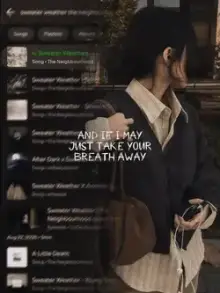





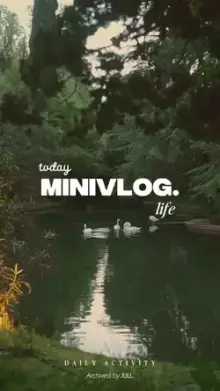

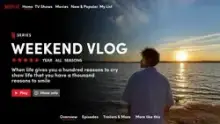
Mini vlog CapCut templates are pre-timed edits for short day-in-my-life videos. They take several brief clips, often just one to three seconds each, and join them with music, soft transitions and small text labels such as times or places. You add your clips in CapCut and export a finished daily vlog.
What Makes a Mini Vlog Watchable?
Good mini vlogs feel like a story, even when nothing big happens. They follow a simple rhythm: a wide shot to set the scene, a close-up detail, a shot of your hands doing something, then a calm ending. Repeat that pattern through the day and the video flows on its own.
Variety matters more than drama. Ten clips of your laptop screen feel flat; one laptop shot, one coffee pour, one window view and one walk feel like a day.
A Shot List for Your Next Mini Vlog CapCut Template
Use this as a checklist and tick off as many as the template needs:
- Morning light through a curtain or window
- Breakfast or tea filmed from straight above
- Getting ready: a mirror, shoes being tied, a bag being packed
- The commute: the view from a bus, auto or train window
- Your desk, books or work screen
- Feet walking, filmed from your own eye level
- Lunch or a street snack
- The sky at sunset
- A lamp, candle or night street to close the day
You will not need all nine every time. A short mini vlog template might use five of them, while a longer daily vlog CapCut template may want every one plus extras. Fill any gaps with small details around you: a plant, a pet, a street sign or a cup of chai.
Filming Habits That Save Time Later
- Record 3 to 5 seconds of everything The template only uses a short slice, but a longer clip lets you choose the best part when you adjust it.
- Stay vertical Daily vlog templates are 9:16. Sideways clips get cropped hard.
- Move slowly or not at all A still frame or a slow pan looks calm; fast waving looks shaky.
- Skip digital zoom Walk closer instead. Zooming in on a phone softens the picture.
- Keep one look all day Use the same camera mode and avoid mixing heavy filters, so the clips match.
Make an album called "vlog" on your phone and move each clip there as you film. When you open the template at night, everything is in one place.
Daily Vlog, Travel Vlog or Photo Dump?
A daily vlog template shows one ordinary day in order. A travel or healing-style edit, like the healing Thailand templates, leans on scenery and slow motion. A photo dump template flashes many still pictures quickly instead of telling a day in sequence.
If you love soft colors and calm pacing, the aesthetic templates pair well with vlog footage. For step-by-step help adding clips and exporting, see the CapCut template tutorial.
Frequently Asked Questions
How many clips does a mini vlog template need?
It changes from template to template. Some daily vlog edits use five or six clips, while others ask for a dozen or more short moments. The exact number appears on every card and template page. Look at that number first, then plan your shots around it.
Can I add my own captions to a daily vlog template?
Many mini vlog templates include editable text for times, places or short notes, and you can change it in the edit screen before exporting. Some templates have fixed text built into the design. Watch the preview and check the text options in CapCut to see which kind it is.
Can I use photos in a mini vlog template?
Yes, most slots accept either a photo or a video. Still photos get a little motion from the template, but a vlog feels more alive with real clips. A good mix is mostly video with one or two photos for moments you forgot to film.
How long should a daily vlog Reel be?
Most mini vlog templates run 15 to 30 seconds, which is a comfortable length for a day-in-my-life Reel. It is long enough to tell a small story and short enough that people watch to the end. Longer vlogs are better edited in CapCut's full editor.