















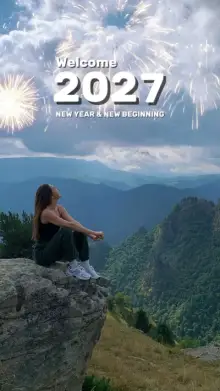











































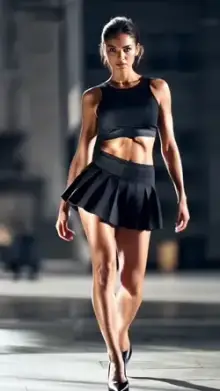













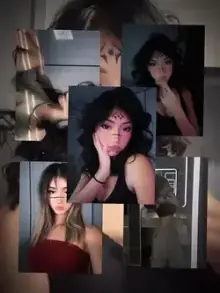





CapCut templates are pre-built video edits that creators publish inside the CapCut app. Each one already has the music, cuts, effects and text in place, plus a set number of empty slots. You add your own photos or videos, CapCut fits them into the edit, and you export a finished Reel, Short or TikTok.
What Is a CapCut Template?
Think of a CapCut template as a video recipe. A creator builds an edit once, with beat-synced cuts, zooms, slow motion, filters and captions, and then shares it as a template. Anyone can reuse that exact edit with their own media.
Most templates are short and vertical: usually 5 to 30 seconds long in a 9:16 frame that fits Instagram Reels, YouTube Shorts and TikTok. Every template asks for a fixed number of clips, such as 1 photo or 8 videos, and shows that number before you start.
People search for them in many ways: "template capcut", "capcut ke template", "capcut ka template" or simply "capcut template link". All of these mean the same thing, a link that opens a ready-made edit in CapCut. Some people also search for "VN capcut template", but VN is a separate editing app. The templates on this site open in CapCut.
How Templatess Works
Templatess is an independent directory of free CapCut templates. We are not CapCut and we are not connected to CapCut or ByteDance. Every template belongs to the creator who made it. We sort them so you can find the right one faster, and each template page links to the original template on CapCut.
Every template page gives you:
- A preview video So you can watch the full edit before you open the app.
- A Use Template in CapCut button That opens the template in the CapCut app on your phone.
- A backup link That opens the same template if the main button does not respond.
- A QR code For computer users. Scan it with your phone camera or Google Lens to open the template on your phone.
- Uses, clip count and duration , so you know how popular it is, how many photos or videos to get ready, and how long the final video will be.
We add new templates every day and file each one under the right trend or category, so the archive keeps growing with fresh edits.
Want to see all CapCut templates for one style? Type a song name, trend or mood into the search bar, or open a category page to browse its full template archive. Open a few template pages and compare their uses, clip count and length before you commit to one.
How to Pick a Good CapCut Template
The best template is the one that fits the clips you already have. A few quick checks save a lot of time:
- Match the clip count. If a template needs 10 clips and you only have 4 good ones, choose a different template instead of filling it with weak shots.
- Watch the whole preview. Notice where the beat drops and whether the slots are fast cuts or long slow-motion moments.
- Check the duration. Edits of 10 to 15 seconds are easy to fill and keep people watching to the end. A 30-second edit needs more footage.
- Read the uses count. A high number shows the edit is popular right now. A newer template with fewer uses can make your video look less like everyone else's.
- Think about the frame. Templates crop to vertical, so keep your subject in the center of each clip.
Editor tip: clips filmed in good light at 60fps look far better in slow-motion and zoom templates. Dark or shaky footage shows every flaw once the template slows it down.
How Do I Use a CapCut Template?
Using a template takes a couple of minutes:
- Open a template page on Templatess and tap Use Template in CapCut.
- The link opens in the CapCut app, or on capcut.com if you are on a computer.
- Tap Use template and choose the number of photos or videos it asks for.
- Preview the result, then replace any clip or edit the text if needed.
- Tap Export to save the video to your phone or share it.
Button names can differ a little by app version and region. For tips on each step, read our full guide on how to use a CapCut template. If you need to install or update the app first, our sister site has a CapCut APK guide.
Browse CapCut Templates by Category
The template archive is sorted by mood, music and purpose, so you can jump straight to the style you need:
- New Trend: the templates taking off right now.
- Slow Motion: smooth slowmo, blur and zoom edits, and our most visited category.
- Birthday: wishes, photo countdowns and party clips.
- Hindi Song: edits set to Bollywood and other Hindi tracks.
- Attitude: bold, confident edits with hard cuts.
- Gym: workout clips and body transformation edits.
- Instagram Reels: formats made for Reels trends.
- Sad: slow, emotional edits about heartbreak and missing someone.
- Aesthetic: soft colors, film looks and calm pacing.
- Cinematic: wide frames, color grading and movie-style titles.
- Photo: templates that turn still photos into moving edits.
- Couple and Love: romantic edits for partners and anniversaries.
Popular CapCut Template Trends
Some edits become trends of their own, and people search for them by name. Each of these has its own page:
- Healing Thailand: calm, feel-good edits with a relaxed travel mood, often using slow motion.
- iCal: a much-searched template trend, with sad, slow-motion and Punjabi-song versions.
- X Remix Trend: remix-style edits cut tightly to the beat.
Are CapCut Templates Free?
Most templates cost nothing to use. A few rely on features that CapCut marks as Pro, and the app usually tells you before or during export. Templatess itself is free: there is no sign-up and we never ask for payment.
Is CapCut Available in My Country?
CapCut is not available everywhere. For example, it has been blocked in India since 2020, and availability in other countries can change. If the app is not offered in your region, template links may not open. We do not share ways around these restrictions, so please check what is allowed where you live.
Frequently Asked Questions
What is a CapCut template?
A CapCut template is a ready-made video edit that a creator built in CapCut, with the music, transitions, effects and text already timed. You tap Use template, add your own photos or videos, and CapCut builds the finished video for you to export and share.
Are the templates on Templatess free?
Yes. Browsing and opening templates on Templatess is free, and you don't need an account. Most CapCut templates are also free to use in the app, although a few rely on CapCut Pro features, which the app usually labels before you export.
How do I open a CapCut template link?
Tap the Use Template in CapCut button on any template page. On a phone with CapCut installed, the link opens in the app. If it doesn't, try the backup link. On a computer, scan the template's QR code with your phone camera or Google Lens.
Why is a CapCut template link not opening?
Usually the app is outdated or not installed, CapCut isn't available in your country, or the creator removed the template. Update CapCut and try the backup link. If it still fails, choose a similar template from the same category or trend page.
How often are new CapCut templates added?
Every day. We add new templates as trends appear and file them under the right categories, so the New Trend page and the latest templates on the home page change daily. Bookmark the site and check back whenever you need a fresh edit.
Is Templatess part of CapCut?
No. Templatess is an independent website and is not affiliated with CapCut or ByteDance. The templates belong to the creators who made them. We organize them by trend and category and link each one to the original template on CapCut.
Can I use CapCut templates on a computer?
Often, yes. Template links usually open on capcut.com in a computer browser, where you may be able to edit them depending on your region. You can also click the QR code button on a template page and scan it to open the template on your phone.
How many photos or videos does a template need?
It depends on the template. Each one asks for a fixed number of clips, shown on our template pages and in CapCut before you start. Simple edits may need a single photo, while fast beat-sync edits can need ten or more short clips.