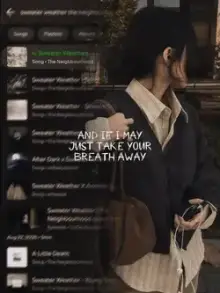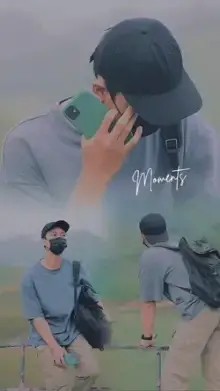











CapCut templates for girls are trending edits made for selfies, outfit changes, makeup looks, glow-ups and best-friend moments. They come with music, transitions and beauty-style effects already timed. You choose a template, add the clips or photos it asks for in CapCut, edit any text, and export a ready-to-post video.
Styles You Will Often See Here
- Outfit change One look, a hand over the lens or a jump, then a new look on the beat.
- Mirror selfie edits Quick cuts between mirror shots, often with flash effects.
- Makeup before and after A bare face, then the finished look as the music drops.
- Bestie edits Photos and clips with friends, usually upbeat and playful.
- Traditional looks Saree, lehenga or suit reveals, popular before weddings and festivals.
- Soft and dreamy Pastel color and slow motion, close to the aesthetic templates.
Getting the Shots for a CapCut Template New Trend Girl Edit
Light
Stand facing a window during the day. That soft light smooths skin naturally and makes eyes sparkle. At night, put a ring light or lamp at eye level, never directly overhead.
Background
Clear one wall or corner before filming. A tidy background makes any outfit or makeup look more polished, and it stops viewers from looking at the clutter.
Transitions
For outfit or makeup changes, keep the phone in exactly the same spot, on a stand or propped against books, and stand on the same mark each time. When only your look changes, the switch seems like magic.
Length
Record 3 to 4 seconds per look. Templates trim clips to fit the beat, and a little extra lets you choose the best moment.
Want a dramatic reveal? The glow up templates are built around before-and-after moments, and photo-only options live in the photo templates.
Ideas by Occasion
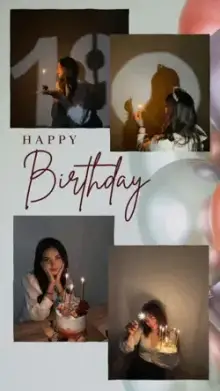
Birthdays call for bestie edits packed with photos from the year, and the birthday templates add wish text too. Before a wedding or festival, traditional-look reveals are a family favorite. On a normal day, a quick mirror selfie edit or a soft get-ready-with-me clip takes about ten minutes and still feels fresh.
Searching "capcut template for girls" for a group video? Pick a template with enough slots for each friend, and ask everyone to film in the same light so the clips match.
Stay Safe When You Post
Trending edits get shared widely, so check what is in the frame before you post:
- Hide your school name, uniform badge, house number and anything with your address.
- Look at mirror reflections; they sometimes show more of your room or family than you meant to share.
- Turn off location tags, especially for clips filmed at home.
- Use a close friends list or a private account if you only want people you know to see it.
Posting to Instagram? The Reels templates page explains upload settings that keep your edit sharp. For every step inside CapCut, follow the step-by-step template guide.
Frequently Asked Questions
Can I use these girl templates with photos only?
Yes, many of them work with photos, especially selfie, bestie and makeup before-and-after edits. Outfit change templates usually look best with short video clips, because the movement sells the switch. The template page shows what each slot accepts, so check it before collecting your media.
How do I do the outfit change transition?
Keep the phone fixed in one place and stand on the same spot for every outfit. End each clip with a quick move, such as covering the lens with your hand or jumping, and start the next clip from that same move in the new outfit. The template lines up the switch with the beat.
Do these templates add beauty filters?
Some do. A few girl templates include skin smoothing, glow or color effects as part of the design, and these cannot always be switched off. If you prefer a natural look, watch the preview closely and choose a template that keeps skin tones true.
Are these templates only for girls?
No. The category is named after what people search for, but anyone can use these templates. The styles, such as outfit changes, mirror selfies and best-friend edits, work for everyone. Pick whichever edit matches your clips and the mood you want.