




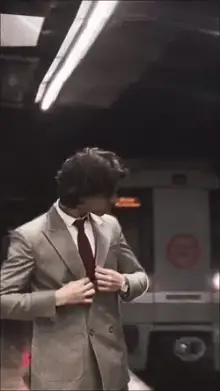



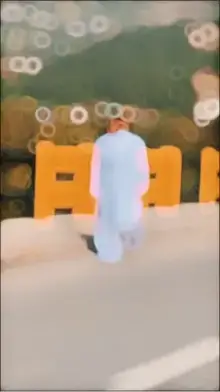


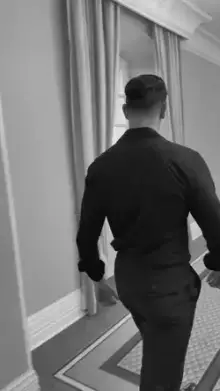
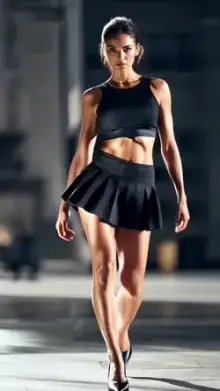
A slow motion walk CapCut template is a ready-made edit that slows down a clip of someone walking and syncs it to music. Most versions switch between slow motion and normal speed on the beat, add a gentle zoom or blur, and use a cinematic color grade. Many ask for only a few clips, so they're quick to make.
Why the Slow Motion Walk Trend Works
A walk is something everyone can film, and slow motion makes it look important. Hair moves, a jacket swings, and each step feels deliberate. It's the same trick films use for a hero's entrance.
The trend is also forgiving. You don't need dance moves or acting skills. If the clip is steady and well lit, almost any walk looks good once the template adds slow-downs, speed ramps and color.
It fits a lot of moments, too: a gym entrance, a college farewell, a wedding guest arriving, a holiday beach walk, or simply stepping out in a new outfit. The same template can feel romantic, bold or calm depending on the clip you give it and the music the creator picked.
Filming Tips for the CapCut Template Slow Motion Walk Trend
Set the Frame Rate First
Open your camera settings and choose 60fps in normal video mode. Footage at 60fps can be slowed to half speed and still look smooth in a 30fps edit, while ordinary 30fps clips start to stutter when slowed.
Place the Camera Right
Hold the phone at chest or waist height. A slightly low angle makes the walker look taller and more confident. Ask a friend to walk backward in front of you, or rest the phone on a wall or bench and walk toward it.
Walk Naturally, Just a Bit Slower
Take relaxed steps, keep your shoulders loose, and look ahead or slightly past the camera. Forced poses look stiff in slow motion. Do three or four takes and keep the best one.
Pick Your Light and Location
Golden hour, an empty road, a corridor or a long footpath all work well. Light from the side or behind adds shape to the body. Avoid harsh midday sun, which causes squinting and hard shadows.
Wear Something That Moves
Slow motion is all about small movements. A long coat, a loose shirt, a dress, a scarf or open hair catches the air with every step and makes the clip feel alive. Tight, stiff clothes give the template much less to show.
Walk Ideas to Try
- Walk toward the camera with your head down, then look up on the beat.
- Walk away, then turn back over your shoulder.
- Walk side-on past a long wall while the camera stays still.
- Walk with friends in a line for a squad entrance.
- Step out of a dark doorway into bright light.
Each idea gives the template a clear moment to slow down, which is what makes these edits feel cinematic.
Matching Your Clip to the Template
| If the preview shows | Give it |
|---|---|
| One long slow-motion walk | A single steady walking clip, a little longer than the slot |
| Several quick cuts | Different angles: feet, face, full body, from behind |
| A zoom on the face | A clip where your face stays in the center the whole time |
| Photo slots | Sharp photos taken mid-step |
Give each slot a clip that is a bit longer than it needs. In most versions you can then choose the best part in the editor instead of being stuck with the first second.
Using a Slow Motion Walk Template From This Page
- Pick a card from the grid and watch the preview on its template page.
- Check the duration and clip count shown there.
- Tap "Use Template in CapCut," or use the backup link if the first one doesn't open.
- In CapCut, tap "Use template," select your walking clips and check the preview.
- Export, then share it to Reels, Shorts or your status.
Labels can vary by app version and region. Our how to use a CapCut template guide walks through each screen, and the template download guide explains saving your finished video.
Mistakes That Ruin a Slow Motion Walk
- Shaky footage Slow motion magnifies every wobble. Use both hands, keep your elbows in, or rest the phone on something solid.
- Walking out of frame The vertical crop is narrow, so stay on the center line.
- Dark clips Low light adds grain, and the grain becomes obvious when slowed.
- Crowded backgrounds Busy streets pull attention away from the walker.
- Walking too fast Hurried steps look rushed even in slow motion. A calm, steady pace reads best.
- Zooming while you film Digital zoom lowers quality, and the template adds its own zoom anyway. Move closer instead.
Want more ideas? See the main slow motion templates, the glowing neon slow motion trend or the calm Healing Thailand edits.
Frequently Asked Questions
How do I make a slow motion walk video in CapCut?
The easiest way is to use a template. Film a steady walk at 60fps, open a slow motion walk template from this page, tap "Use template" in CapCut and select your clip. The template applies the slow motion, speed changes and color for you.
What frame rate should I use for the walk?
Use 60fps if your phone offers it. Slowed-down 60fps footage stays smooth, while 30fps clips can look jumpy. Higher frame rates such as 120fps can look even smoother, but they need plenty of light, so shoot outside or in a bright room.
Do I need a gimbal for a slow motion walk?
No. A gimbal helps, but steady hands work fine. Hold the phone with both hands close to your body and walk softly if you're filming while moving, or place the phone on a wall or bench and let the subject walk toward it.
Can I use a slow motion walk template with photos?
Some versions accept photos and add movement with zoom and pan, but this trend looks best with real video. A walk needs motion in the legs, hair and clothes, which a still photo can't show. Check the preview to see what each version expects.
What songs are used in slow motion walk templates?
There's no single song for this trend. Different creators set their walk templates to different tracks, so play the preview on each template page to hear the audio, and pick the version whose music fits the mood you want.
Why is my slow motion walk video blurry?
Blur usually comes from low light, a dirty lens or fast movement. Wipe the camera, shoot in daylight and walk at a steady pace. If the export screen offers resolution options, choose 1080p so the final video keeps its detail.