





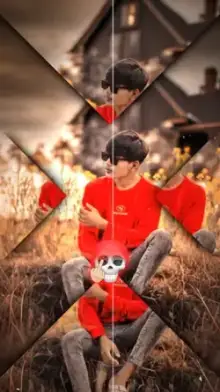
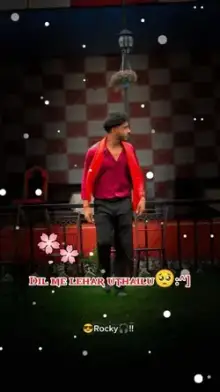


A CapCut template Bhojpuri song is a ready-made video edit in the CapCut app that already has a Bhojpuri track, transitions and effects synced to the music. You only swap in your own photos or video clips. Most are vertical 9:16, run between 10 and 30 seconds, and ask for a fixed number of clips.
What Sets Bhojpuri Song Templates Apart?
Bhojpuri is spoken across Bihar, eastern Uttar Pradesh and nearby regions, including parts of Nepal. Its film and folk music is known for loud, fast, danceable rhythms, and the templates lean into that energy with flash cuts on the drum hits, shake effects and bold text that pops in time with the vocals.
That is very different from a soft romantic edit, where one shot might hold for two or three seconds. In a fast Bhojpuri template, a clip can change every half second, so the footage you choose matters more than usual.
Popular Styles You Will Find Here
- Dance edits With quick cuts and zoom hits for clips of you or your friends dancing.
- Wedding clips With bright, celebratory looks for haldi, sangeet and baraat videos.
- Slow-motion moments That pair the softer lines of a song with smooth slowed footage. Our slow motion templates have more of this look.
- Lyric templates Where the words appear on screen as the singer sings them.
- Swagger edits With walk-ins and poses set to bass-heavy tracks.
How to Make a CapCut Template Bhojpuri Song Video
Open any template from the grid and tap "Use Template in CapCut". The template opens in the CapCut app, where you tap "Use template", choose the photos or videos it asks for, then preview and export. Button names can vary a little between app versions and regions, and our guide to using CapCut templates walks through each screen.
On a computer? Press the QR code button on the template page and scan it with your phone camera or Google Lens to open the template on your phone.
Editor Tips for Fast Bhojpuri Edits
- Check the clip count first A template that needs 12 clips will look odd if you repeat the same three shots.
- Choose clips with movement Dancing, spinning or walking toward the camera works better than still poses in the fast sections.
- Keep faces in the center These templates often zoom or shake the frame, which can push anything near the edges out of view.
- Shoot in good light Wedding venues and evening events are often dim, and dark clips turn grainy after export.
- Pick the best second When you replace a clip, you can usually drag it to choose which part of your video plays.
If a template opens with a slower intro, put your calmest shot there and save your best dance move for the moment the beat kicks in.
Want the same energy in other languages? Browse our Punjabi song templates and Hindi song templates.
Frequently Asked Questions
Are Bhojpuri song CapCut templates free to use?
Yes, most Bhojpuri song templates can be used for free in the CapCut app. A few may include effects that need a CapCut Pro subscription, and CapCut marks those inside the app before you export. Our site never charges you to open a template.
Can I change the Bhojpuri song in a template?
Usually not inside the template, because the audio is part of the creator's design and every cut is timed to it. If you want a different track, you would need to rebuild the edit in CapCut's regular editor, and the cuts would no longer match the original beat.
How many clips do I need for a Bhojpuri song template?
It depends on the template. Some need a single clip, while fast dance edits can ask for a dozen or more. Each template page on our site shows the clip count and duration, so check it before you start choosing footage.
Why won't a Bhojpuri template open on my phone?
The usual causes are an outdated CapCut app, CapCut not being available in your country, or a template the creator has removed. Update the app first, then try the backup link on the template page. If it still fails, pick another template from this collection.
Can I post a Bhojpuri edit on YouTube Shorts as well as Reels?
Yes. An exported template is a normal vertical video saved on your phone, so you can upload it to Instagram Reels, YouTube Shorts, Facebook or WhatsApp Status. Music rights work differently on each platform, so a song may occasionally be muted or limited.